I'll be honest...creating and maintaining a high-quality classroom website is HARD! I find myself with the best intentions, but so many other responsibilities seem to get in the way. At times, there is not even enough time in a school day to get everything done, so finding time to update and maintain a useful website is pretty far down the list. I actually have 2 websites right now-the one that is "live" linked to my school's webpage and one that is sitting on the hard drive of my computer waiting for someone else to press the magic button that will replace my old one.
One of my obstacles is the preferred platform for creating websites in my district. It is a web-based application that gives instant updates when you modify your site, but it is not intuitive or user friendly. Here is a link to my current site...Believe me, I know it needs work :). Honestly, I have not done much at all to keep this site current. Everything about the application is frustrating to use.
We also have access to iWeb on our district provided laptops. I have created a website using this program that I feel would be a lot more useful and interesting to parents of my first graders. I have useful links and blog posts ready to go. I have photo albums and slideshows loaded with pictures of the learning we have been doing this year. It will also be really easy to upload media like movies and podcasts. This site is ready to go live. The frustrating part is that the tech department in my district has been dragging their feet and giving me the run around as to when someone will actually link it up. It is actually a site that I am proud of...and if it ever goes "live", I will post a link to it and would love any constructive criticism.
A class website has so much potential! My goal is to make it a place that parents will bookmark and visit often. I would use a newsletter-style blog to keep parents updated on our learning; useful links would be provided to help parents at home; digital learning and projects can be showcased.
**As I was searching the web on this topic, a came across an interesting article from the Kappa Delta Pi Record.

Thursday, September 20, 2012

Wednesday, September 12, 2012
Literacy in a 1st Grade Classroom
I come from teaching 3rd grade for the last 14 years. After having the first few weeks of teaching 1st grade under my belt, I have a different appreciation for what "literacy" means at this age. They are bursting with new knowledge and accomplishments every day! When I think about integrating literacy into a science or social studies lesson, pictures and other graphic representations are a must. Many students at this stage of the school year are unable to read (and understand) text independently. Science and social studies lessons are whole-group, and I use my Promethean Board to project scanned images of text to make the lesson more accessible to my students. Students at this age love to draw pictures to show their understanding. Fortunately, there is a lot of really great technology out there that can let students use clip art and other graphics to show their understanding. Programs like Kidspiration and KidPix have browsable graphics collections that allow students to choose just the right image to show their understanding. It is also very easy for them to add text to these images, so the teacher can either require a word, phrase, or multiple sentences to go with the picture.

science activity using Kidspiration

social studies activity using KidPix
I love using these types of technologies because of their versatility in differentiating for your different types of learners.
Tuesday, August 28, 2012
The Wiki Can of Worms!
In my previous MET class, I had the task of creating wikis tailored toward a certain goal. A digital storytelling kit and a place for 5th graders to collaborate on persuasive writing. Working on these projects helped me see the power and versatility of a wiki. Teachers can create an online workspace for their students. Links to research, video clips, and helpful images are just a few of the elements you can add to create this workspace.
While I was building my wikis, I looked at a lot of examples to find what I liked-and what I didn't. What I found was that there are SOO-OO many educational wikis out there! This wiki link has MANY examples of educational wikis across all grade levels, disciplines, from all over the world.
Some of the wikis I found had so much information that it was hard to navigate the real purpose, and they seemed more like a class website than a place to collaborate effectively. Here is one example from a 2nd grade class. While this wiki is easy to navigate, the collaboration is hard to follow. Each topic on the sidebar takes you to a taxonomy where it seems the class might have collaborated on ideas, pictures and links, but it is hard to tell.
Another wiki I found was geared towards teen readers. This wiki has not been updated in a while, but it clearly was a collaborative place for teen readers to share their thoughts on many different genres of reading. It is not the most visually stimulating, but it hits on some of Vicki Davis' other elements of an effective wiki. It has a collaborative effort (teens write book talks), the book talks are organized into genre links, some readers provided hyperlinks to outside sources, and contributors were original in their reflections.
I think that wikis certainly have their place in the classroom. It can be a wonderful way for students and teachers to collaborate, but I don't think it should be confused with a class website. I think collaboration is the key, and a wiki should clearly show how students have worked together to create the learning space.
Saturday, August 25, 2012
my "take away"
I really enjoyed the introduction to the Literacy 2.0 text. I highlighted several spots (in my Kindle edition :) and the one that really stood out was this-"The most profound technologies are those that disappear-they weave themselves into the fabric of everyday life until they are indistinguishable from it." I found myself looking around and thinking about my house. So many things in it were not even around 50-even 25-years ago. But now they are so commonplace and I can't imagine my life without them. Then I thought about my classroom. And how my experiences as a teacher have totally changed since I had my first group of 3rd graders 15 years ago. I had a chalkboard and one computer that I shared with the students. Five years later I moved to my current district and school and thought I moved into a whole new world! I had a DRY ERASE board, my own computer, and a small set of laptops for students to share.
Now here I am beginning my 10th year in this district. I have a Promethean Board in my classroom, and so does everyone else (except 1 teacher) in my building. And when I say everyone else, it's not really an exaggeration. In order to get the board, teachers had to attend district-provided training and classes, and create units and lessons as a final project. SSD teachers, "specials" teachers, even the counselor went through the training and have their boards. The 1 teacher mentioned earlier is close to retirement and has not fully embraced how technology can impact and change her classroom. In the end, I really feel sorry for her class and all that they miss out on. Other technologies that have weaved themselves into the fabric-all teachers in my district now have their own laptop that they take to and from school. Students from middle school to high school also have their own district-provided laptop that they get to take home. Second through fifth graders have classroom laptops and kindergarteners and first graders have at least 6 desktop computers per classroom. Not to mention all of the different types of software we have for teacher and student use.
When I began teaching 15 years ago, there is no way I could have predicted what my classroom would look like today. Most likely I will be teaching for another 10-15 years-at least!. I can only imagine what teaching, the classroom, and students will look like in that time!
intro & expectations
I am so excited to be continuing my journey through the MET program. The classes have been very informative and valuable so far, and I really enjoy the interaction among classmates.

In my teaching life, this year I have moved to 1st grade after teaching 3rd grade for 13 of my 14 years. I am loving the change! I have a Promethean Board in my classroom. I love using technology with my class
whenever possible, but I find it difficult to incorporate it as much as I would
like.
My expectations from this course would be to see how I can incorporate literacy 2.0 technologies in my first grade classroom. When you conduct a search on literacy 2.0 or web 2.0 tools, the list of results can be overwhelming. It's hard not to get lost in links looking for that perfect idea to fit into your classroom. I look forward to learning from others some of the successes they have had incorporating new tools. In searching for a link for this assignment, I came across this entry from a McREL blog titled- What's so different about Literacy 2.0? I thought it was very timely for the topic of this class
In my student life, I am also taking courses from the Library Media Specialist program. I hope
to be my school’s new LTS (Library Technology Specialist) in the near future. Classes from 2 different programs certainly keep my brain busy, but it is interesting to see how the two programs complement each other.

In my personal life, my husband and I have been together for 15 years and have 2 sons. Fisher is 6 and just started Kindergarten at my school this year. Sawyer is 3 1/2 and is quite the character!
Sunday, April 22, 2012
Using Wordle in the Classroom
 |
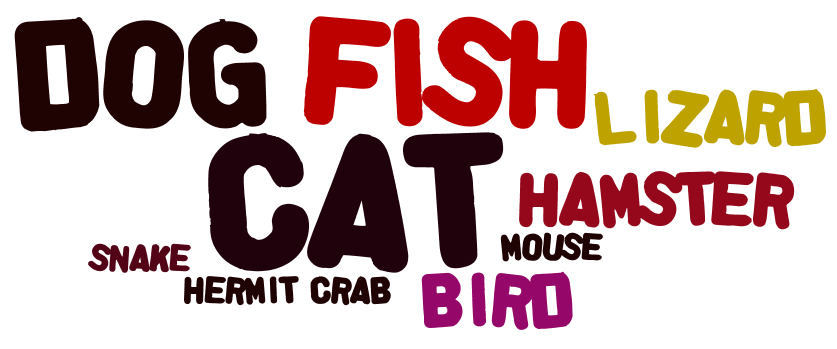
| created using www.wordle.net |
- When students type any piece of work, they can copy and paste their text into Wordle. The end result gives students a visual of which words they might have used the most (or over-used) in their writing (I copied and pasted this blog post to create this Wordle).

- Use the application to create word family Wordles.

- Welcome students to their new class.

- Since Wordle makes words that are entered more often bigger, use the application to take a class poll. Students can enter their choice into the text box, then create the Wordle as a visual representation.
Friday, April 6, 2012
Social Networking for the 21st Century Teacher
"While the old web was about websites, clicks, and "eyeballs", the new web is about communities, participation and peering." Tapscott and Williams, 2006 (page 83, Web 2.0 for Educators, Solomon and Schrum, 2010)
That quote really sums up how I now view my Internet interactions-especially when I have my "teacher hat" on. Our assignment for week 5 was to explore new social networking sites.
I already use Facebook quite often, but mostly for my personal life. I "liked" pages noted in our assignments folder, as well as some of the pages of other education blogs I read. I like getting the updates to blog posts via Facebook. It is quicker than me checking in to the blog itself or even my Google Reader, and I can get a little snippet of the post to know if I need to check it out further. I like this new tool :).
I also use Pinterest...a LOT. **I just added a "Follow Me on Pinterest" button on my sidebar if you would like to see some of my boards. I loo-O-oove Pinterest! Several teachers at my school are also"Pin-a-holics" like me. When we see each others bulletin board displays or other classroom ideas we joke about how we "found it on Pinterest". Because we all follow each other, we also share lots of ideas without even having to think about it. One great example is this behavior management system that almost every grade level and teacher began using this year simply because we pinned it off of each other over the summer then talked about it when we came back together in August. Now that most of us are using the same system, we have a common language about behavior choices. This will really help next year when our school moves to PBIS and we already have the groundwork ready. Because Pinterest brought us together.
I signed up for the following Nings-TeacherLibrarian, Teacher Vodcasting and Flipped Classroom Network, and iPads in Education, as well as The Educator's PLN. I especially like reading through the posts in the forums of these networks. The discussions in the threads are really interesting to read. I have even replied in a few of them. It really makes you feel like you are part of an extended teaching-and learning-community.
I know I have said this before, but to say that all of this new information flooding toward me from JUST this course is overwhelming is an understatement. It's all for good, but I am very glad that summer break is just around the corner and I will have more time to really digest it all and wrap my brain around how I would like implement some of these ideas in my classroom for next year. And beyond.
Subscribe to:
Posts (Atom)