Tuesday, August 28, 2012

The Wiki Can of Worms!

In my previous MET class, I had the task of creating wikis tailored toward a certain goal.  A digital storytelling kit and a place for 5th graders to collaborate on persuasive writing.  Working on these projects helped me see the power and versatility of a wiki.  Teachers can create an online workspace for their students.  Links to research, video clips, and helpful images are just a few of the elements you can add to create this workspace.  

While I was building my wikis, I looked at a lot of examples to find what I liked-and what I didn't.  What I found was that there are SOO-OO many educational wikis out there!  This wiki link has MANY examples of educational wikis across all grade levels, disciplines, from all over the world.  

Some of the wikis I found had so much information that it was hard to navigate the real purpose, and they seemed more like a class website than a place to collaborate effectively.  Here is one example from a 2nd grade class.  While this wiki is easy to navigate, the collaboration is hard to follow.  Each topic on the sidebar takes you to a taxonomy where it seems the class might have collaborated on ideas, pictures and links, but it is hard to tell.

Another wiki I found was geared towards teen readers.  This wiki has not been updated in a while, but it clearly was a collaborative place for teen readers to share their thoughts on many different genres of reading.  It is not the most visually stimulating, but it hits on some of Vicki Davis' other elements of an effective wiki.  It has a collaborative effort (teens write book talks), the book talks are organized into genre links, some readers provided hyperlinks to outside sources, and contributors were original in their reflections.

I think that wikis certainly have their place in the classroom.  It can be a wonderful way for students and teachers to collaborate, but I don't think it should be confused with a class website.  I think collaboration is the key, and a wiki should clearly show how students have worked together to create the learning space.

Saturday, August 25, 2012

my "take away"

I really enjoyed the introduction to the Literacy 2.0 text.  I highlighted several spots (in my Kindle edition :) and the one that really stood out was this-"The most profound technologies are those that disappear-they weave themselves into the fabric of everyday life until they are indistinguishable from it."  I found myself looking around and thinking about my house.  So many things in it were not even around 50-even 25-years ago.  But now they are so commonplace and I can't imagine my life without them.  Then I thought about my classroom.  And how my experiences as a teacher have totally changed since I had my first group of 3rd graders 15 years ago.  I had a chalkboard and one computer that I shared with the students.  Five years later I moved to my current district and school and thought I moved into a whole new world!  I had a DRY ERASE board, my own computer, and a small set of laptops for students to share.  

Now here I am beginning my 10th year in this district.  I have a Promethean Board in my classroom, and so does everyone else (except 1 teacher) in my building.  And when I say everyone else, it's not really an exaggeration.  In order to get the board, teachers had to attend district-provided training and classes, and create units and lessons as a final project.  SSD teachers, "specials" teachers, even the counselor went through the training and have their boards.  The 1 teacher mentioned earlier is close to retirement and has not fully embraced how technology can impact and change her classroom.  In the end, I really feel sorry for her class and all that they miss out on.  Other technologies that have weaved themselves into the fabric-all teachers in my district now have their own laptop that they take to and from school.  Students from middle school to high school also have their own district-provided laptop that they get to take home.  Second through fifth graders have classroom laptops and kindergarteners and first graders have at least 6 desktop computers per classroom.  Not to mention all of the different types of software we have for teacher and student use.  

When I began teaching 15 years ago, there is no way I could have predicted what my classroom would look like today.  Most likely I will be teaching for another 10-15 years-at least!.  I can only imagine what teaching, the classroom, and students will look like in that time!

intro & expectations

I am so excited to be continuing my journey through the MET program.  The classes have been very informative and valuable so far, and I really enjoy the interaction among classmates.  

In my teaching life, this year I have moved to 1st grade after teaching 3rd grade for 13 of my 14 years.  I am loving the change!  I have a Promethean Board in my classroom.  I love using technology with my class whenever possible, but I find it difficult to incorporate it as much as I would like.  

My expectations from this course would be to see how I can incorporate literacy 2.0 technologies in my first grade classroom.  When you conduct a search on literacy 2.0 or web 2.0 tools, the list of results can be overwhelming.  It's hard not to get lost in links looking for that perfect idea to fit into your classroom.  I look forward to learning from others some of the successes they have had incorporating new tools.  In searching for a link for this assignment, I came across this entry from a McREL blog titled- What's so different about Literacy 2.0?  I thought it was very timely for the topic of this class

In my student life, I am also taking courses from the Library Media Specialist program.  I hope to be my school’s new LTS (Library Technology Specialist) in the near future. Classes from 2 different programs certainly keep my brain busy, but it is interesting to see how the two programs complement each other.  

In my personal life, my husband and I have been together for 15 years and have 2 sons.  Fisher is 6 and just started Kindergarten at my school this year.  Sawyer is 3 1/2 and is quite the character!

Sunday, April 22, 2012

Using Wordle in the Classroom

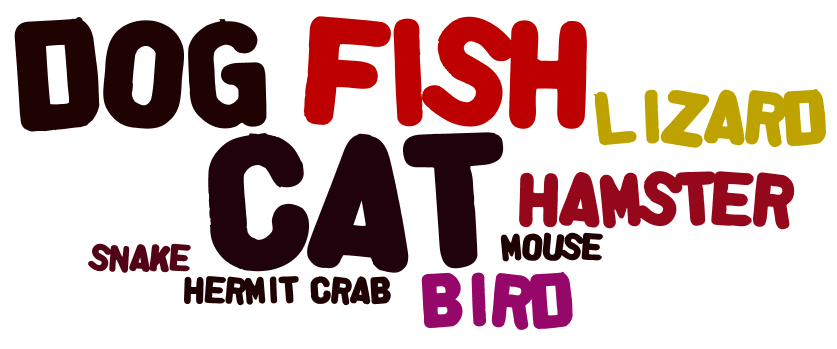
created using www.wordle.net
Every week with this class, I am amazed at how many Web 2.0 tools are out there that I did not even know existed a few short weeks ago.  The tool I decided to explore this week was Wordle.  This is a fun tool that can be used in the classroom in a variety of ways.  A simple Google search of "wordle in the classroom" brings up so many possibilities.  This wiki had some interesting ideas for use in elementary classrooms (as well as a great list of many Web 2.0 tools that link to more ideas for classroom use).  This edublog also had many great ideas that I would be able to use with elementary age students.  Out of the many examples I saw, some that I would use with students include:
  • When students type any piece of work, they can copy and paste their text into Wordle.  The end result gives students a visual of which words they might have used the most (or over-used) in their writing (I copied and pasted this blog post to create this Wordle).

  • Use the application to create word family Wordles.

  •  Welcome students to their new class.

  • Since Wordle makes words that are entered more often bigger, use the application to take a class poll.  Students can enter their choice into the text box, then create the Wordle as a visual representation.
The possibilities really are endless as to how you might use this Web 2.0 tool in your classroom!

Friday, April 6, 2012

Social Networking for the 21st Century Teacher

"While the old web was about websites, clicks, and "eyeballs", the new web is about communities, participation and peering."  Tapscott and Williams, 2006 (page 83, Web 2.0 for Educators, Solomon and Schrum, 2010)

That quote really sums up how I now view my Internet interactions-especially when I have my "teacher hat" on.  Our assignment for week 5 was to explore new social networking sites.  

I already use Facebook quite often, but mostly for my personal life.  I "liked" pages noted in our assignments folder, as well as some of the pages of other education blogs I read.  I like getting the updates to blog posts via Facebook.  It is quicker than me checking in to the blog itself or even my Google Reader, and I can get a little snippet of the post to know if I need to check it out further.  I like this new tool  :).

I also use Pinterest...a LOT.  **I just added a "Follow Me on Pinterest" button on my sidebar if you would like to see some of my boards.  I loo-O-oove Pinterest!  Several teachers at my school are also"Pin-a-holics" like me.  When we see each others bulletin board displays or other classroom ideas we joke about how we "found it on Pinterest".  Because we all follow each other, we also share lots of ideas without even having to think about it.  One great example is this behavior management system that almost every grade level and teacher began using this year simply because we pinned it off of each other over the summer then talked about it when we came back together in August.  Now that most of us are using the same system, we have a common language about behavior choices.  This will really help next year when our school moves to PBIS and we already have the groundwork ready.  Because Pinterest brought us together.

I signed up for the following Nings-TeacherLibrarian, Teacher Vodcasting and Flipped Classroom Network, and iPads in Education, as well as The Educator's PLN.  I especially like reading through the posts in the forums of these networks.  The discussions in the threads are really interesting to read.  I have even replied in a few of them.  It really makes you feel like you are part of an extended teaching-and learning-community.  

I know I have said this before, but to say that all of this new information flooding toward me from JUST this course is overwhelming is an understatement.  It's all for good, but I am very glad that summer break is just around the corner and I will have more time to really digest it all and wrap my brain around how I would like implement some of these ideas in my classroom for next year.  And beyond.

My first Twit Chat

I participated in my first Twitter chat this week!  I was in the #3rdchat that "meets" on Wednesday evenings.  I was excited to try out a chat in this format.  I've used chat rooms before, but this was a little different to get used to since I had to make sure I included the # with every tweet.  A few times I forgot and had to delete the tweet and RT with the #.  This usually happened when the conversation was going pretty fast and I was trying to keep up.  The main topic in this chat session was creating a flipped classroom.  Because of the chat, I now also follow #flipclass, along with @claymayer and @JaimeVanderG.  Then it got even more confusing when I wanted to include both #s in my tweets, as well as mention people.  I think I finally got the hang of it  :).  

I liked that I had the chance to quickly interact with colleagues and learn about something new from their perspective.  By the end of the chat, I had 11 tabs open in my browser to go back and sift through new information.  I discovered Clay's class website,  as well as several others about creating a flipped classroom including this one and her interesting post about critics of the flipped class model. 

Overall, I really enjoyed the experience and look forward to participating in more chats.  One thing that I think would make the chats easier is if there was a type of "info" or "about" for the # groups.  The Cybraryman link was helpful to know when the #3rdchat would happen, but I don't know if or when some of the other #s I follow have a regular weekly chat.  I posted a few tweets to the #s, so maybe I can find out that way.

Happy Tweeting!

Wednesday, March 28, 2012

my ideas on networked classrooms

It was inspiring to read about how teachers were able to make the walls of their classrooms thinner by opening up to the possibilities of a networked classroom.
  • What are the advantages or disadvantages of a networked classroom?
When I think of any disadvantages to a networked classroom, my biggest concern would be student safety. When you open up your classroom to the world, you must make sure that your students are protected. Whether it is a website, blog, or wiki, teachers have to determine at what level student information, thoughts, and images need to be protected. This website offers a guide for educators on how to protect kids online.

After you determine the level of privacy you are comfortable with for your classroom, the advantages of a networked classroom are endless! You can take your students around the world to places most of them would probably never have the opportunity to visit or learn about. By using a class blog, you can give your students the chance to publish their work in a way that just isn't possible in the traditional class setting. Collaborating with classes around the world has never been easier and more exciting when you consider the possibilities of Web 2.0 tools such as Skype and Google docs. By building my PLN, I am learning more about how to create a beneficial networked classroom for my kids.
  • How can you slowly transition your classroom to become a networked classroom?
I think my first step to becoming a networked classroom is to explore using a blog with my students. I like this quote from the home page of Class Blogmeister-

Thousands of teachers have discovered the value of classroom blogging, both as an avenue for their communications, but also as a tool for giving voice to what their students are learning and how they are learning.


This link has some great tips for blogging with your students. And I came across this site to set up a password protected blog for your students.
  • How could a networked classroom address the diverse needs of all learners?
Creating a networked classroom has the potential to connect your students to learners all over the world as well as learners just across town. By doing this, students have the opportunity to connect with others like them and find commonalities they may have never found before.